GitHub Branch
How to Create Branch in GitHub
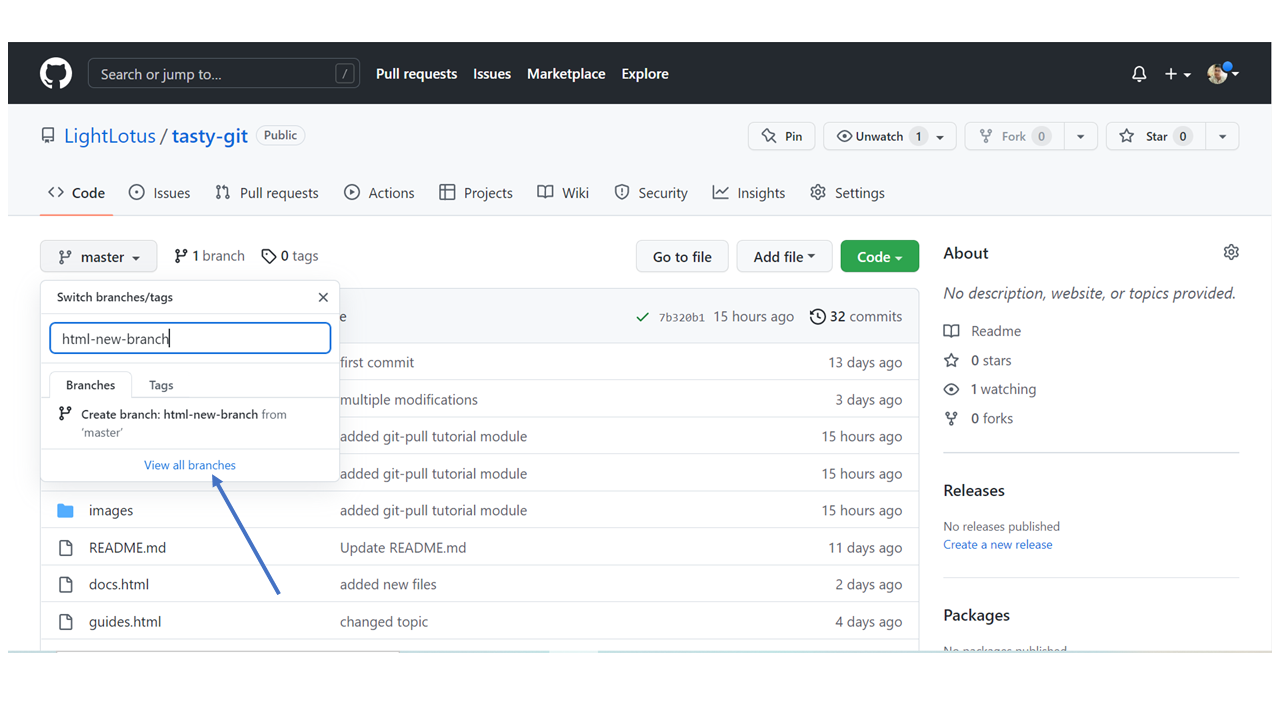
On GitHub, access your repository and click the "master" branch button.
There you can create a new Branch. Type in a descriptive name, and click Create branch:
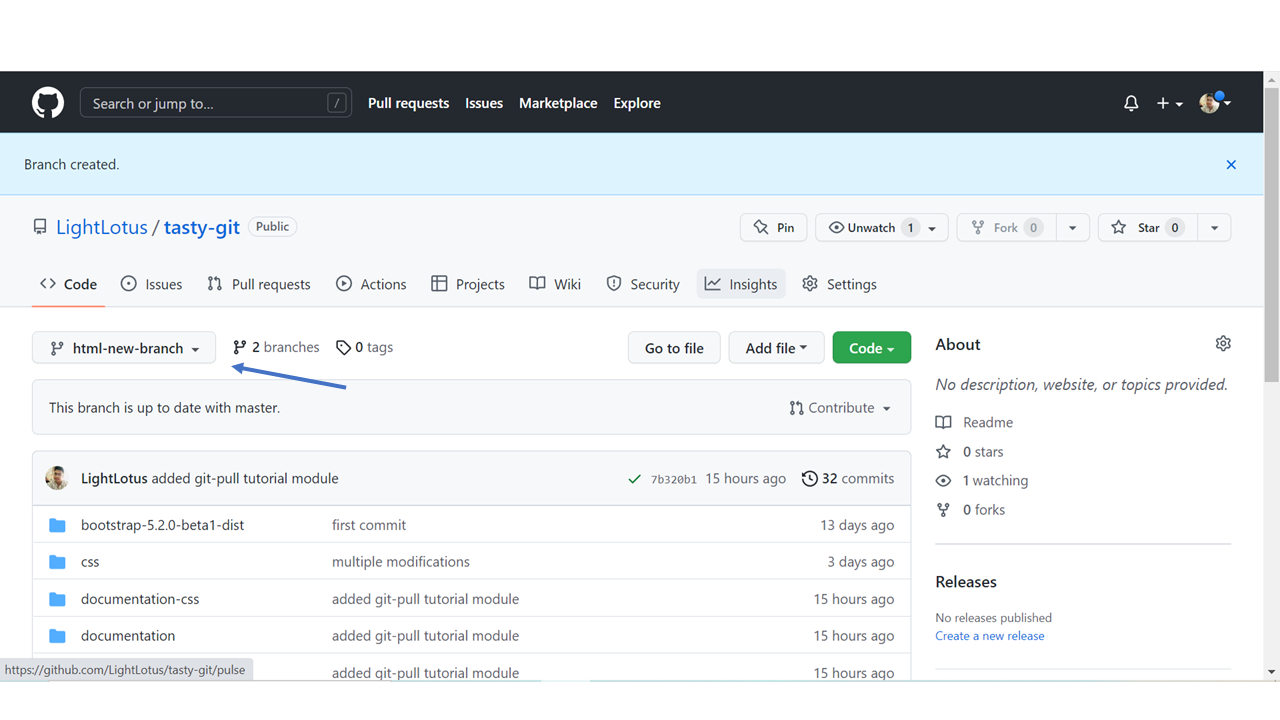
The branch should now be created and active. You can confirm which branch you are working on by looking at the branch button. See that it now says "html-skeleton" instead of "main"?
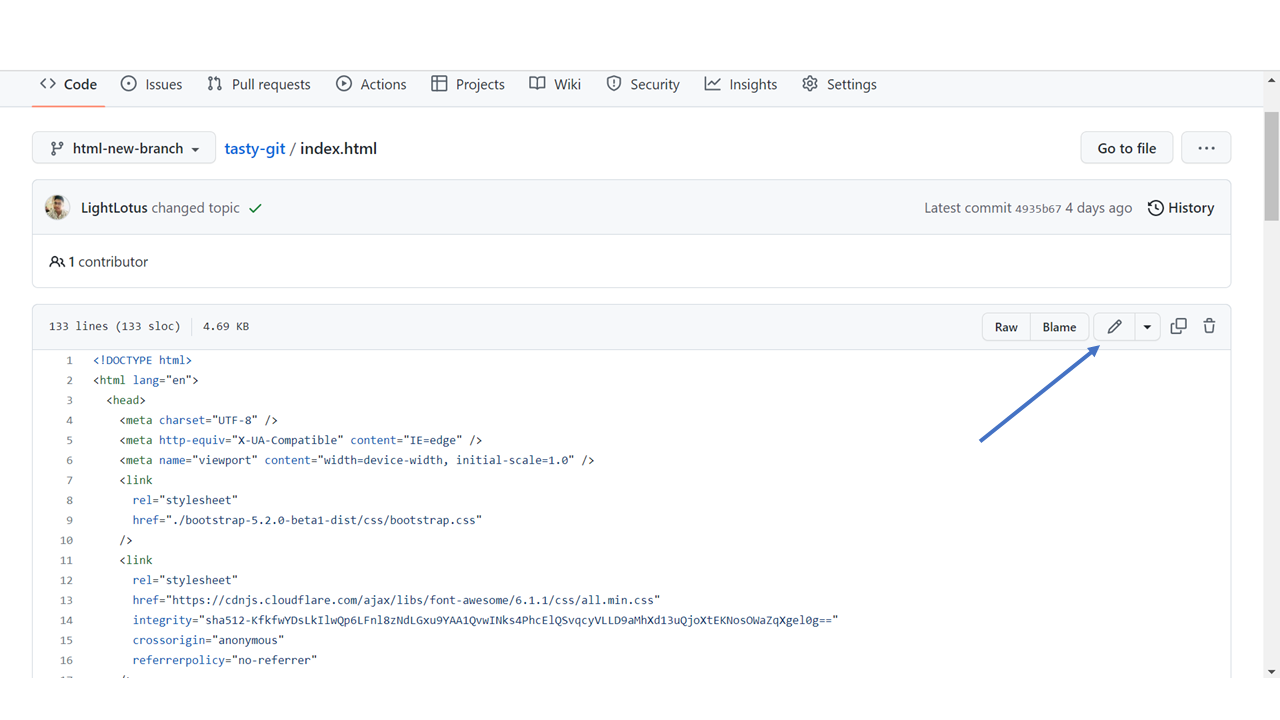
Start working on an existing file in this branch. Click the "index.html" file and start editing:
After you have finished editing the file, you can click the "Preview changes" tab to see the changes you made highlighted
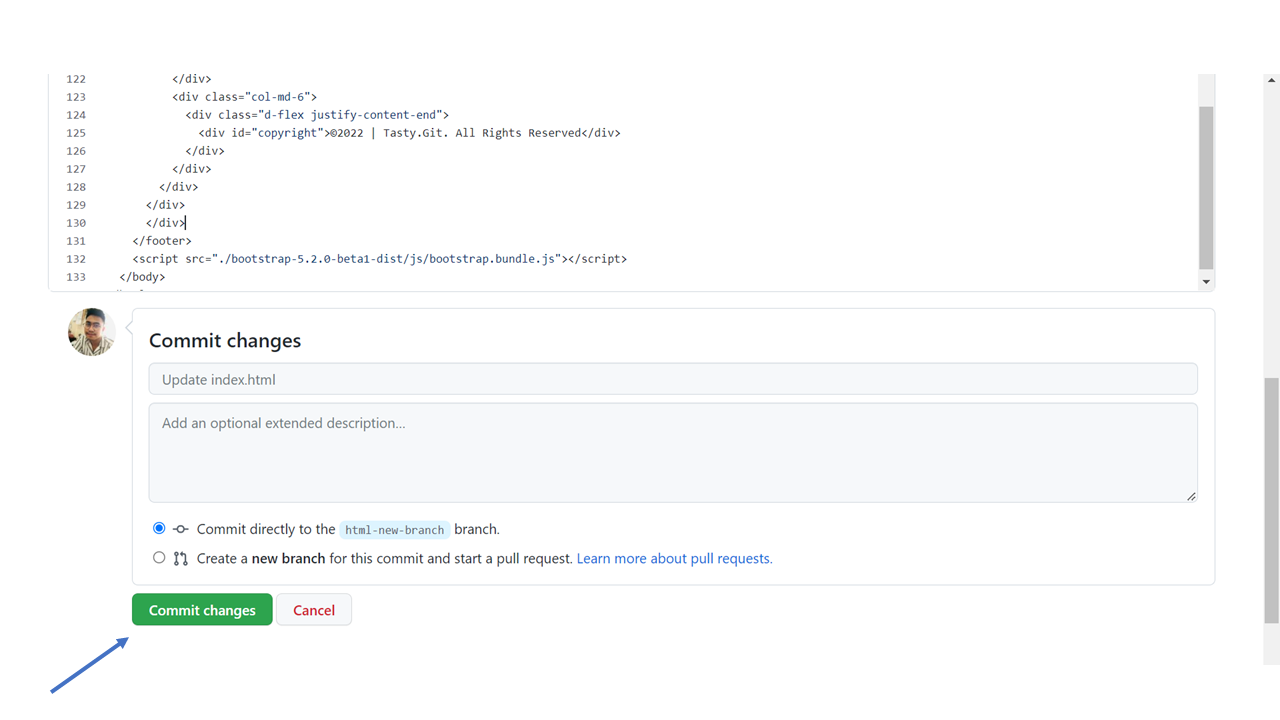
You now have a new branch on GitHub, updated with some changes!